For independent patent agents, attorneys, draftsmen, and small IP boutiques
AI Patent Drawing Software,
Checked Against USPTO, EPO, and PCT Rules
Draft utility patent figures from a description, sketch, photo, or DXF — then run a jurisdiction-aware preflight before export. Your files stay in your browser; AI calls go directly to your provider.
No install. No per-figure invoices. Patent figure software, not a full patent drafting service. Your attorney, agent, or draftsperson still reviews and approves.
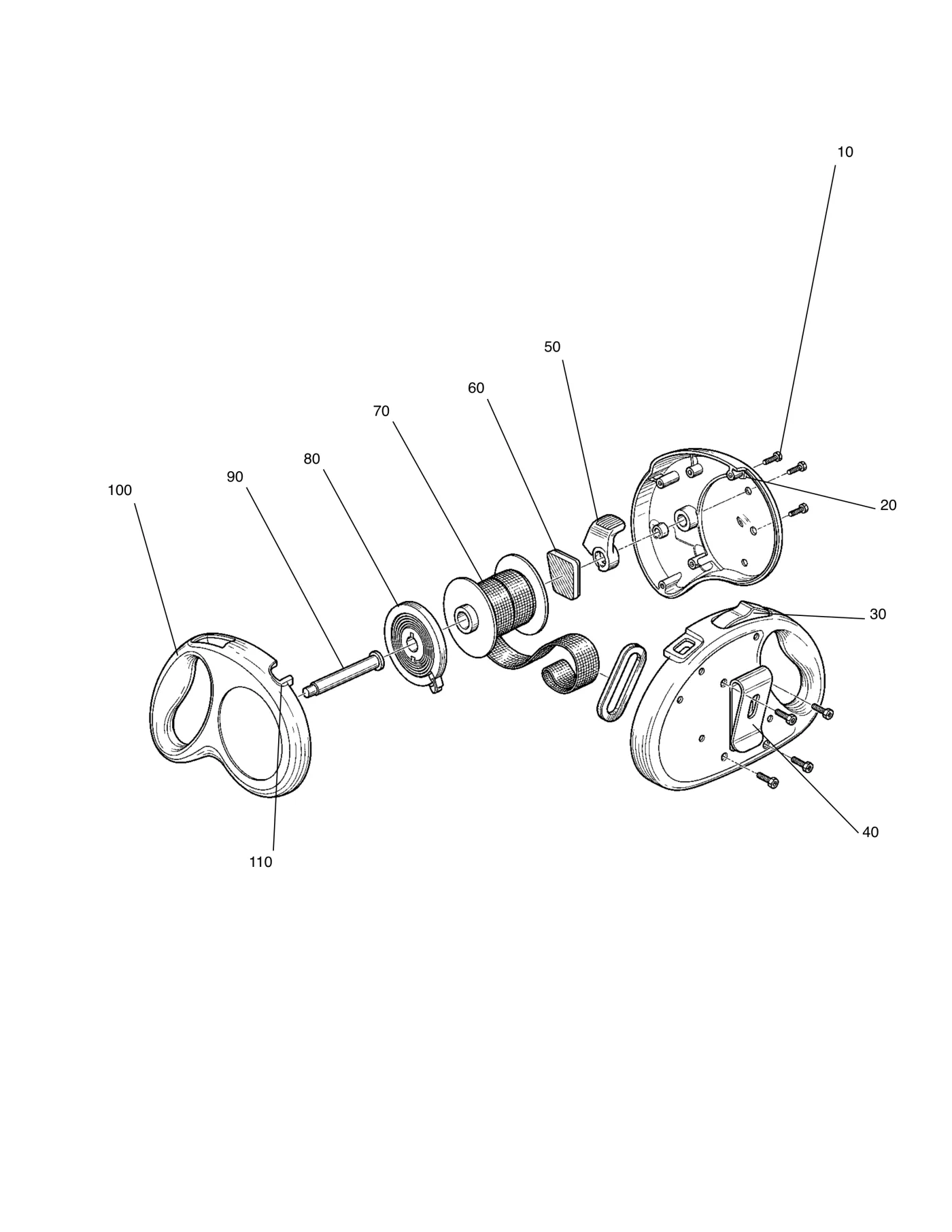
Exploded assembly · 11 reference characters · generated from a description.
Patent drawing software built for small IP practices
You do not need an enterprise drafting department to produce a clean, review-ready figure.
Solo agents & patent draftsmen
Draft 2–6 figures per application without a per-figure vendor queue. Keep the description, references, and revisions in one place.
Independent patent attorneys
Keep client disclosures in your browser, review every figure yourself, and export only when the sheet is ready.
Small IP boutiques
One license, unlimited figures, and a repeatable preflight the whole team can use.
What you can draft
One workspace for the figures small practices file most. Choose a genre or let PatViz pick.
Block diagrams
Component schematics and flow-style figures for system overviews, method steps, and control architecture.
P&ID
Pumps, valves, tanks, vessels, exchangers, motors, and instruments, with equipment tags and a connected flow chain.
Exploded assemblies
Parts in assembly order with leader lines and reference numerals — for mechanical and consumer hardware.
Line art
Turn a sketch or product photo into black-and-white line art, then add reference callouts.
DXF vector sheets
Import DXF paths when the geometry already exists; add numerals and run preflight.
What is patent drawing software?
Patent drawing software helps you create the figures that go into a patent application. A patent-specific tool should handle sheet size, margins, line weight, reference numerals, leader lines, and the drawing rules for the office you are filing with. PatViz adds a jurisdiction-aware preflight and keeps the project in your browser.
Read the step-by-step guidePatent drawing software vs patent illustration services
Outsourced services quote per figure and require sending the disclosure to a third party. PatViz is an in-house browser app with a flat first-year license, unlimited figures, and a preflight you run yourself. It handles the figure layer; your firm keeps the legal layer.
Compare the workflowA workspace built around the figure
Describe, generate, refine, preflight, export — without leaving the sheet or sending the disclosure to an illustrator.
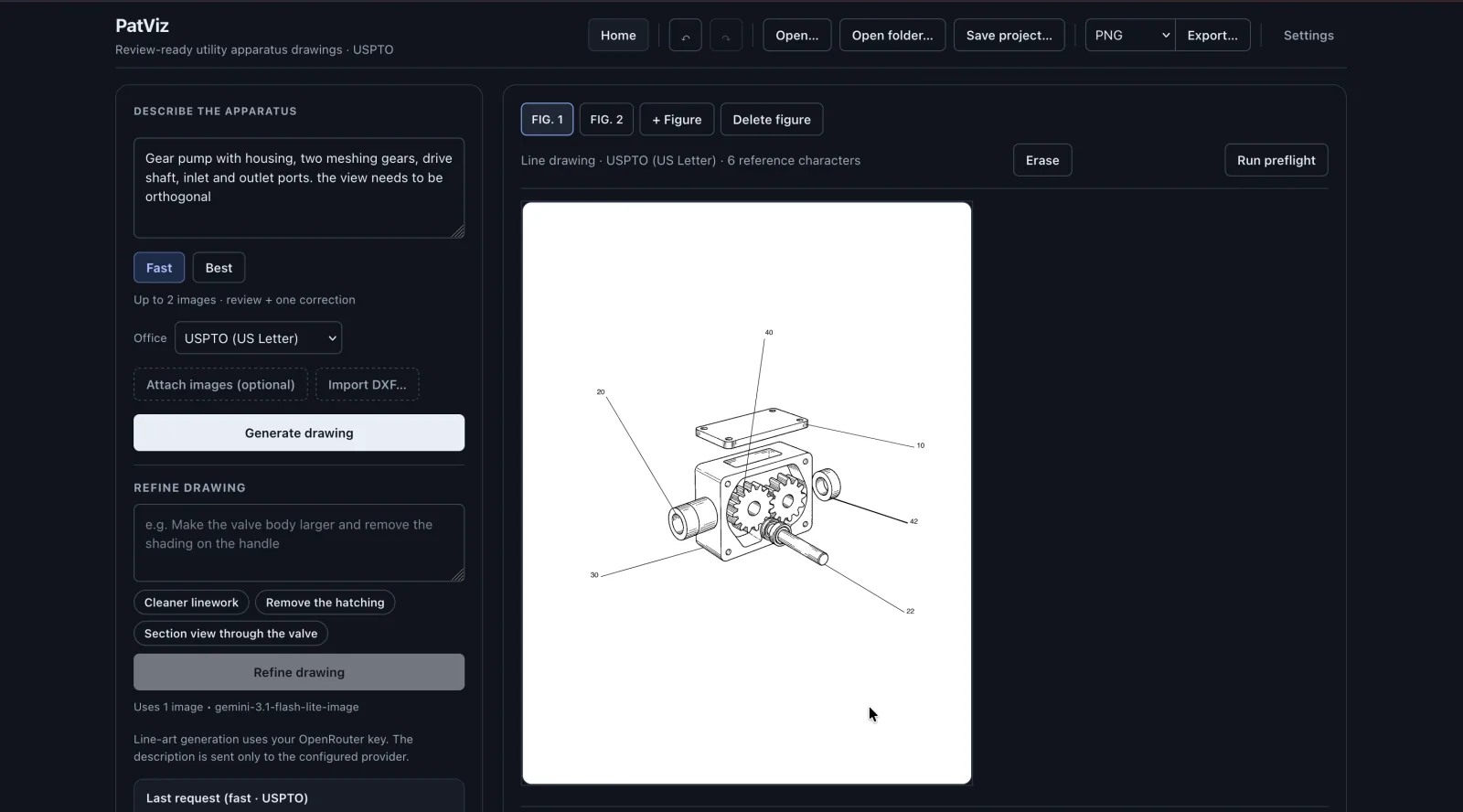
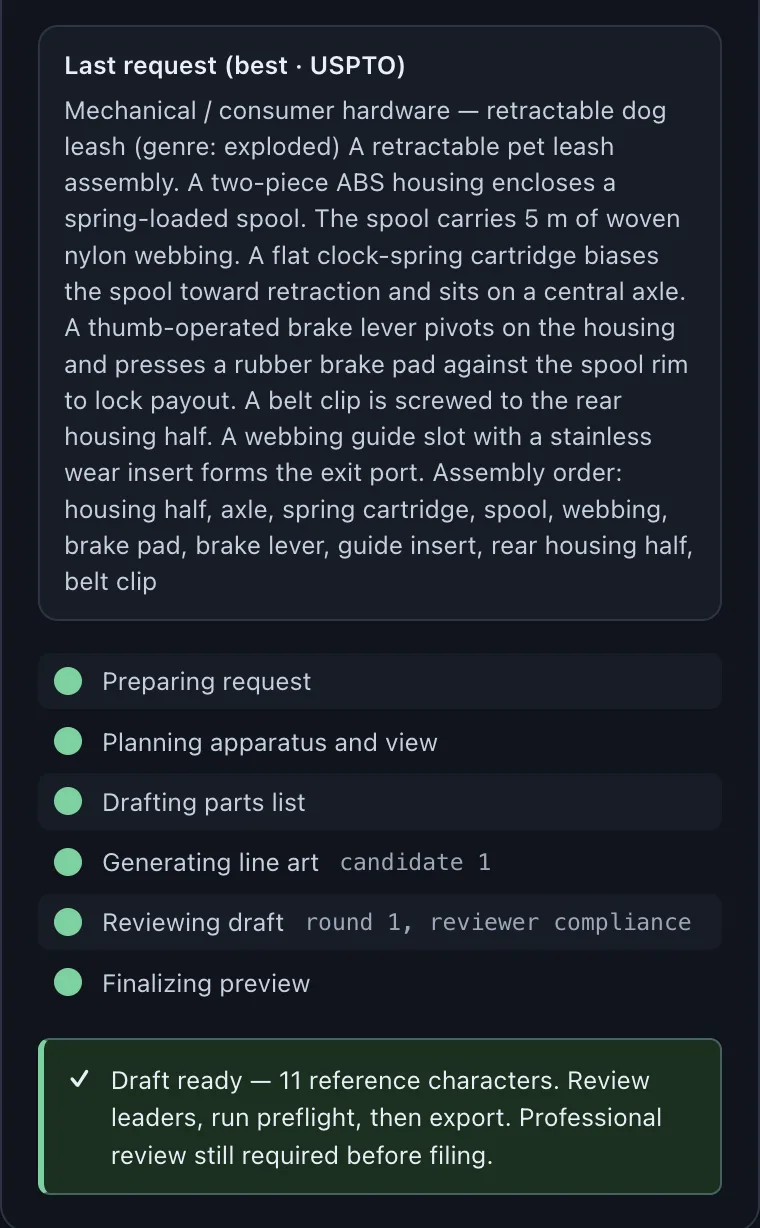
1. Describe or attach
Description, up to 3 reference images, or a DXF.
2. Generate
Fast for a quick draft; Best for critic and compliance review.
3. Refine
Edit in plain English and keep every revision.
4. Preflight
Check the sheet against USPTO, EPO, or PCT rules.
5. Export
SVG, PDF, PNG, JPG, or WebP. Save the project to continue later.
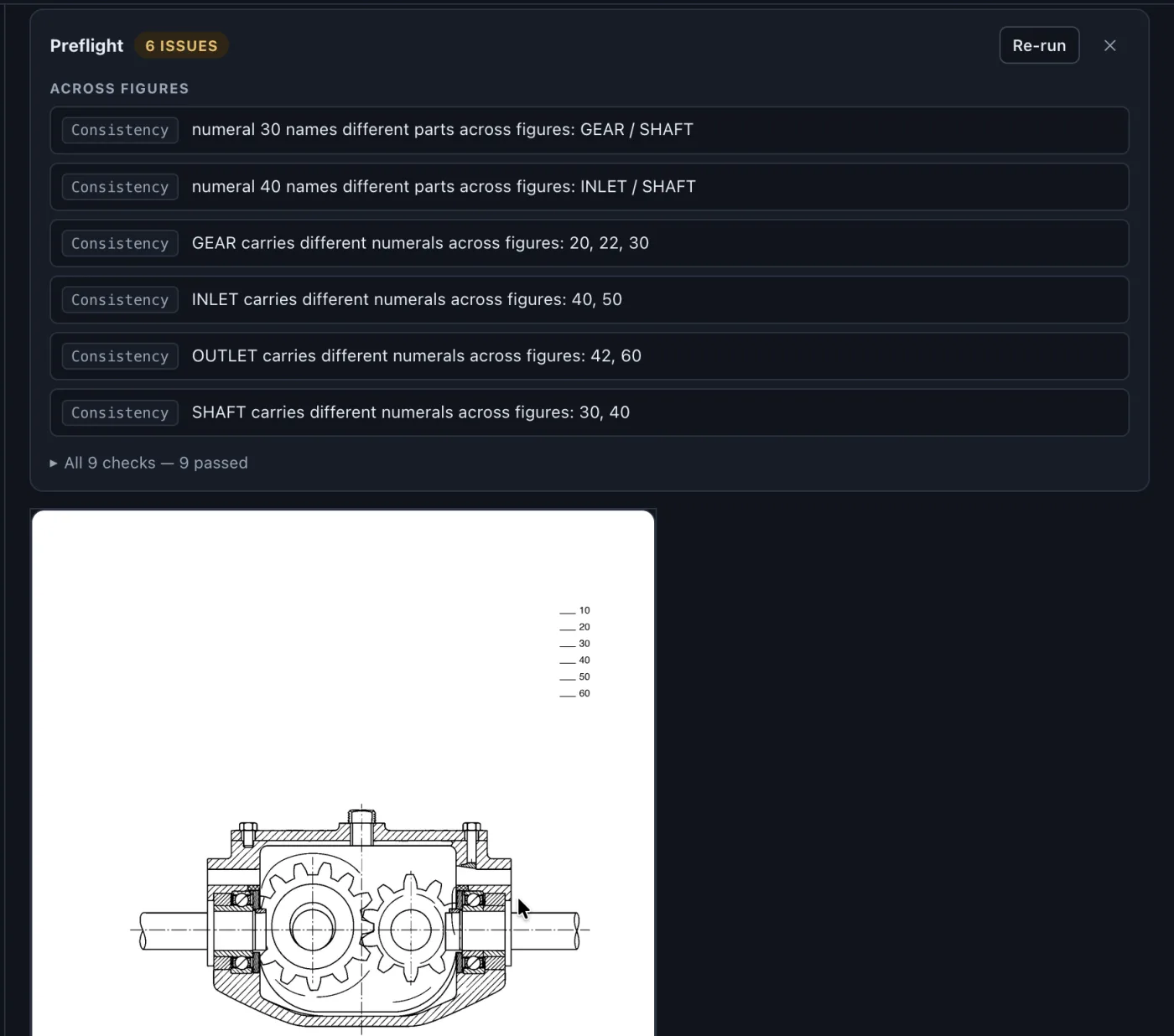
Preflight that shows its work
Check black-and-white output, margins, line weight, numeral size and legibility, missing numerals, leader crossings, and cross-figure consistency against the selected office’s rules.
Every issue cites 37 CFR 1.84, EPO A-IX, or PCT Rule 11. Fix it on the sheet, re-run, then export.
Automated checks support — not replace — professional review.
Your client’s disclosure stays in your browser
PatViz runs client-side. Project files stay in your browser and are not uploaded to PatViz. AI requests go directly from your browser to the provider you configure, using your key. No telemetry.
Browser-local data
Drawings and project files stay in your browser. Nothing is uploaded to PatViz servers.
Your own AI provider
OpenAI, Anthropic, OpenRouter, or a custom OpenAI-compatible endpoint. No PatViz proxy.
No telemetry
The app makes no analytics, crash-reporting, or usage-metrics calls. Only your provider sees the request.
Offline editing
Editing, preflight, and export work offline. Generation needs internet to your AI provider.
Fast when you need a draft. Best when it has to hold up.
Choose the quality mode that fits the figure, then refine the parts that need your judgment.
Fast
A quick pass with up to two candidates and one review. Good for a first draft you plan to refine.
Best
Up to three candidates with critic and compliance review. Slower, better linework when the figure has to hold up.
Refine
Describe the change in plain English. Keep every version, compare drafts, and undo if you do not like the result.
PatViz vs patent illustration services vs doing it manually
A side-by-side look at an in-house software workflow versus outsourced illustration and manual drafting. PatViz handles the figure layer; your firm keeps the legal layer.
PatViz Web App
One-year license, in-house workflow
Outsourced Illustration Services
Per-figure pricing, external draftsmen
Doing It Manually
Illustrator, Visio, or CAD by hand
One license. Unlimited figures.
One-year license for the PatViz web app. No per-figure invoices or per-seat math.
PatViz 1-Year License
One payment covers 12 months
Questions patent professionals ask
Clear answers about scope, compliance, privacy, and what happens to your data.
Patent drawing & IP guides
Practical guides on drawing compliance, patent search, and IP workflows.
How to Make a Patent Drawing
Sheet setup, line work, reference numerals, and the checks to run before filing.
Patent Drawing Requirements
Compare USPTO, EPO, and PCT sheet rules, margins, lettering, and numerals.
How Much Do Patent Drawings Cost?
Per-figure quotes, revision fees, and the in-house software tradeoff.
Best Patent Drawing Software
A buyer's guide for law firms, agents, and small IP practices.